
Send Bulk Meeting Invites in Outlook and O365 - Simple Guide
Do you need to send bulk meeting invites in outlook for a big event, a team meeting, or a large webinar? If you have ever tried to do this, you know that adding email addresses one by one is very slow. It feels like it takes forever. When you have a long list of guests, making a schedule is very hard work. In our fast world today, time is like gold. We should not waste it.
But many people still try to send meeting requests the hard way. They type every name by hand. This wastes hours of your day. It also makes it easy to make mistakes. You might forget someone important. This guide will show you simple ways to send bulk meeting invites in outlook and bulk meeting invites in o365.
We will look at the tools that people use every day. We will show you how to invite many people at the same time. This helps you stop doing the same boring work over and over again. You want to make sure everyone gets their invite safely. You do not want to spend your whole day just typing names.

Using Outlook for Bulk Meeting Invites
Microsoft Outlook is a very strong tool that many people use. They use it for sending emails and planning their days. Most office workers use it every single morning to check their meetings. It is great for regular days. However, when you need to send bulk meeting invites in outlook for a huge group, it gets tricky.
Regular Outlook is good for small teams. If your focus is on calendar-based scheduling inside Outlook instead of meetings, you can explore this guide. But for a big webinar or a company training, it is not enough. You need to put in a lot more effort. Because of this, many users start searching for a better way to send bulk meeting invites in outlook. They want to reach many people at once without the headache.
Choosing the right method is very important. It can save you time and help keep your work neat and tidy. It also makes sure that everyone receives the meeting invite properly. No one wants to do repeated manual work. You want to handle bulk meeting invites in o365 easily. When the guest list grows, the old ways become slow. Adding many email addresses and handling replies takes too much time. Let’s look at the different ways you can try to fix this problem.
Hard Ways to Use Outlook:
Outlook is often the first tool people try. They use it when they want to send bulk meeting invites in outlook. However, Outlook can feel very complex for new users. It has many buttons, menus, and hard options.
Most people learn it slowly while working in offices. It works well for small groups and daily meetings. But when the number of guests increases, it changes. It becomes slower and much harder to manage.
Adding many email addresses can take a lot of time. Handling replies also takes a lot of effort. Below are the ways people usually try to send bulk meeting invite in outlook. We will see how they handle bulk meeting invites in o365.
1. Using Distribution Lists / Contact Groups:
This is one of the most common ways people try to send bulk meeting invites in outlook. Many people who work in offices already know about Contact Groups. It feels like a friendly and easy choice. Instead of typing each email address every single time, you make a group.
You give the group a name and put all your friends or coworkers in it. When you want to send bulk meeting invite in outlook, you just type the group name. Outlook will then send the invite to everyone in that group for you. This is very helpful for small teams that meet often. It stops you from typing so much.
It is a good way to handle bulk meeting invites in o365 if the group is small. But when the group gets very big, it is hard to manage. If you have guests from outside your school or work, it gets tough. You have to set up everything by hand. This takes a lot of time. As your list of people grows, the problems grow too.
The steps:
- Go to People and click New Contact Group.
- Add members from your address book or file.
- Make a meeting and type the group name.
Pros:
- Invites send well to people in your company.
- You can use the same group many times.
- It feels easy for Microsoft Office users.
Cons:
- You cannot make the invites feel personal.
- Replies from everyone can fill up your inbox.
- It is hard to add guests from outside.
- Too many groups can create a mess.
2. Using Mail Merge (Word + Outlook):
Many users look for smarter ways to send bulk meeting invites in outlook because groups have issues. This leads them to try using Microsoft Word with Outlook. This method lets you send bulk meeting invite in outlook using a list that is inside Word. It feels a bit more like a pro tool.
It gives you better control over who sees what. Some users pick this to stop the “reply-all” emails that annoy everyone. It also helps keep guest details safe. However, this setup is not simple at all. You must understand how to use both Word and Outlook very well. It is hard for new people to learn.
If you have a huge list of guests, this method becomes slow and confusing. Even though it can help with bulk meeting invites in o365, it still has many manual steps. You have to click many buttons. It is not easy for most people. It is not the best choice for very large events.
The steps:
- Open a new invite and pick Calendar Poll.
- Choose many different times for the meeting.
- Type in the people and send the poll.
Pros:
- Guests can vote for the best time.
- Stops you from booking two meetings at once.
- The final invite is sent by itself.
Cons:
- People outside your work struggle to use it.
- Large groups rarely agree on one single time.
- You cannot change how the invite looks much.
- You still have to type the emails in a Word file.
3. Using Excel + Copy-Paste (Manual Bulk Add):
This is one of the simplest ways people try to send bulk meeting invites in outlook. Since many teams already keep email lists in Excel, this feels fast. You just copy a long list of email addresses from Excel. Then, you paste them into the meeting invite box.
This seems very easy at first. It is good for short lists. But when you need to send bulk meeting invite in outlook to many people, it is risky. Outlook might block your email if it is too big. Also, you might have pasted the emails incorrectly.
There might be privacy issues, too. Everyone might see everyone else’s email address. You have to check everything by hand. This method can be used for bulk meeting invites in o365, but it is not safe for big groups. It is not reliable. You might miss someone important.
The Steps:
- Open the Excel file with your email list.
- Copy the full list of email addresses.
- Paste emails into the Outlook guest box.
Pros:
- You do not need to buy extra tools.
- It is very easy for small lists.
- Good if emails are already in Excel.
Cons:
- Outlook may block very large guest lists.
- It is easy to make copy-paste mistakes.
- Guest emails might be seen by everyone.
- You have to create a new Excel sheet for each event.
4. Using Outlook Distribution Groups (Office 365 Admin Method):
In big companies, there is another way to send bulk meeting invites in outlook. The bosses or IT people can make special groups. These are called Distribution Groups. This method is often used for bulk meeting invites in o365 inside large offices. The IT team controls these groups.
Workers just invite the group email address. Then, Outlook sends the invite to all the members. This works well inside one company, but it is not flexible for you. Normal users cannot change these groups.
If you want to add a friend from outside, it is very hard. So, while it works to send bulk meeting invite in outlook, it is slow to set up. You have to ask the IT team for help. You cannot do it yourself. It is limited in how you can use it.
The Steps:
- The Admin creates a new Distribution Group.
- Members are added by the IT team.
- User adds the group email to the meeting.
Pros:
- Good for very large teams for work.
- The IT team manages everything centrally.
- Emails almost always get to the inbox.
Cons:
- Regular users cannot manage these groups.
- Not good for invites outside the company.
- Setting it up takes a long time.
- You require admin-level permission to create such groups.
5. Using Shared Mailbox or Shared Calendar:
Some teams use a Shared mailbox or calendar to send bulk meeting invites in outlook. This is common for HR teams or training groups. A shared account sends the meeting invites. This keeps everything in one place. It is helpful for working together.
But it does not really solve the big problem. You still have to send bulk meeting invite in outlook by hand. You have to type the addresses manually. The limits of Outlook still apply to you. This method is only good for small internal use.
It helps you organize, but it is not faster. It does not make bulk meeting invites in o365 automatic. You are still doing the hard work. It is just in a different account. If you have hundreds of people to invite, this will still take hours.
The Steps:
- Open the shared mailbox or team calendar.
- Create a new meeting in the calendar.
- Add guest emails by hand, one by one.
Pros:
- Useful for sharing work with your team.
- Keeps all meetings in one central place.
- Works for repeating meetings at work.
Cons:
- You must enter emails by hand.
- Guest limits are still a big problem.
- This method is very hard to grow.
- Invitations lack personalization.
6. Using Third-Party Add-ins for Outlook (O365 Plugins):
Some users try extra tools to send bulk meeting invites in outlook. These are called add-ins. They connect Outlook with Excel lists. They help reduce some of the manual work. But most of these add-ins still follow the strict rules of Outlook.
They cannot break the limits. Many of them cost money. You have to pay for a plan. The setup steps can be confusing for people who are not tech experts. These add-ins help a little bit to send bulk meeting invite in outlook, but they are not perfect.
They are not designed for very large events. You still have to worry about bulk meeting invites in o365 limits. It might be better than typing by hand, but it is not the best. It can be hard to install. You might need permission from your boss.
The Steps:
- Install an Outlook add-in on the computer.
- Connect it to Excel or a contact list.
- Send invites using the add-in tool.
Pros:
- Reduces copying names by hand.
- Works right inside your Outlook program.
- Supports lists from your Excel files.
Cons:
- You usually have to pay for plans.
- The setup can be very confusing.
- Outlook limits still apply to you.
- You need to learn how to use these plugins.
Why Outlook Methods Become Hard at Scale:
All the methods we talked about show you one thing. It is possible to send bulk meeting invites in outlook and bulk meeting invites in o365. But, there is a big catch. They all need a lot of your own hard work. You have to click many buttons.
They depend on tricks and workarounds to get the job done. This might be okay for a few people. But when you have to send bulk meeting invite in outlook to many, it fails. As your guest list grows larger, these methods become very slow.
It starts to feel very stressful for you. You might start making mistakes because you are tired. It is easy to forget a name or paste a wrong email. This is why many smart teams are changing their ways.
They are moving to special tools built just for bulk meeting invites in o365. They stop forcing Outlook to do a job it was not made for. They want a way that is safe and fast.
Stop Struggling - Use BulkCalendar
All the methods above show how hard it is to send bulk meeting invites in outlook only. They take a lot of work. They are slow and stressful. As your guest list grows, you need something better. This is why you should use a tool made just for this.
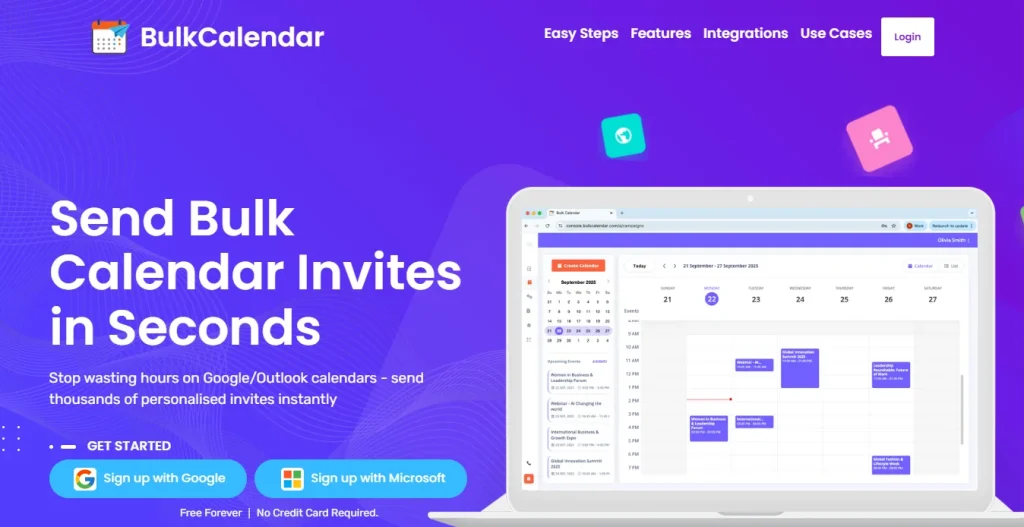
To bypass limits, you need a tool like BulkCalendar. It connects your spreadsheet to calendars. It ensures every invite reaches the person safely. BulkCalendar is the best way to send bulk meeting invites in outlook in 2026.
It clears away the tech issues. It solves privacy leaks. You can send bulk meeting invite in outlook without worry. It lets you focus on your event. You do not have to worry about data entry. It is the smart choice for bulk meeting invites in o365.
You can invite hundreds of people in seconds. It is a simple 3-step process. You stay organized. You keep everything private. Join many professionals who use it. It makes life simple and fast. Stop wasting hours. Start using a tool that works for you.
3 Easy Steps
Save hours of manual work – in just 3 simple steps, you can personalize every invite and send bulk meeting invites directly from your own email and domain
Create Calendar
Add a Personal Touch, Use First Names or Any Data You Choose
Import Guests
Copy-paste thousands of emails, or upload a CSV or Excel file
Send
Send securely from your own email or domain
Purpose-Built Tool That Saves You Hours
BulkCalendar makes sending, personalizing, and managing large calendar invites effortless - so you can focus on running your events, not fighting your calendar.
Mass Invites in Seconds
Send thousands of invites at once without guest limits or repetitive clicks.
Personalized for Every Guest
Add names, custom notes, and details so every invite feels personal and engaging.

Works with Every Calendar
Send calendar invites that work seamlessly across all major apps - Google, Outlook, Apple, Yahoo, and more. So your attendees never miss an event.




Conclusion
Manual scheduling takes up a lot of your time. When you try to send bulk meeting invites in outlook one by one, it is tiring. Managing large lists is slow.
There is a smarter way to handle big meetings. Your time is important. Scheduling should be easy. It should not be stressful. You can send bulk meeting invite in outlook to thousands easily.
This way, you stay organized. You keep data private. Use BulkCalendar for your bulk meeting invites in o365. It is the best way to work.
Free Forever | No Credit Card Required